Works on my Machine - Part 1
Introduction
Programming is the easy and fun part of being a software engineer. We love writing pretty code and finding creative solutions. The hard part is maintaining and documenting the infrastructure. As projects grow and include more and more libraries, source code and tools, so does the complexity of just getting everything to run.
- So how do we get a new developer to be coding in the first day?
- How do we get our software running on our edge device without spending a week fixing issues?
- How do we prevent solutions from only working on our machine?
Story time
Skip the long story and go straight to the best practices.
You are starting to work a new project. You download the repository, read the ReadMe and start with step 1. You quickly
realize the ReadMe is hopelessly outdated. Every colleague you ask has a slightly different setup and two days later you are still stumbling from one problem to the next.
You are still not doing what you do best: Coding!
When it finally does run we are so happy but we forgot about all the steps we did along the way. Maybe we jotted down some notes. Best case we updated parts of the ReadMe. A month later a new employee starts and experiences the same struggle again.
Goal
This blog introduces best practices in order to speed up and be able to reproduce the set-up of the development environment. This is based on my experience working on larger embedded software projects. These tips are not revolutionary. However, your project team will greatly benefit from them.
Best practices
Make It Foolproof: Every Click, Every Command
Document every setup step, as if you were explaining it to someone who has never used a computer.
We often leave out little steps that we think are trivial. No steps are trivial!
It often feels stupid to write down every single little detail, but others will often get stuck on these little details.
Pro Tip: Use GIFs. Everyone loves GIFs and they show exactly where to click and what should happen.
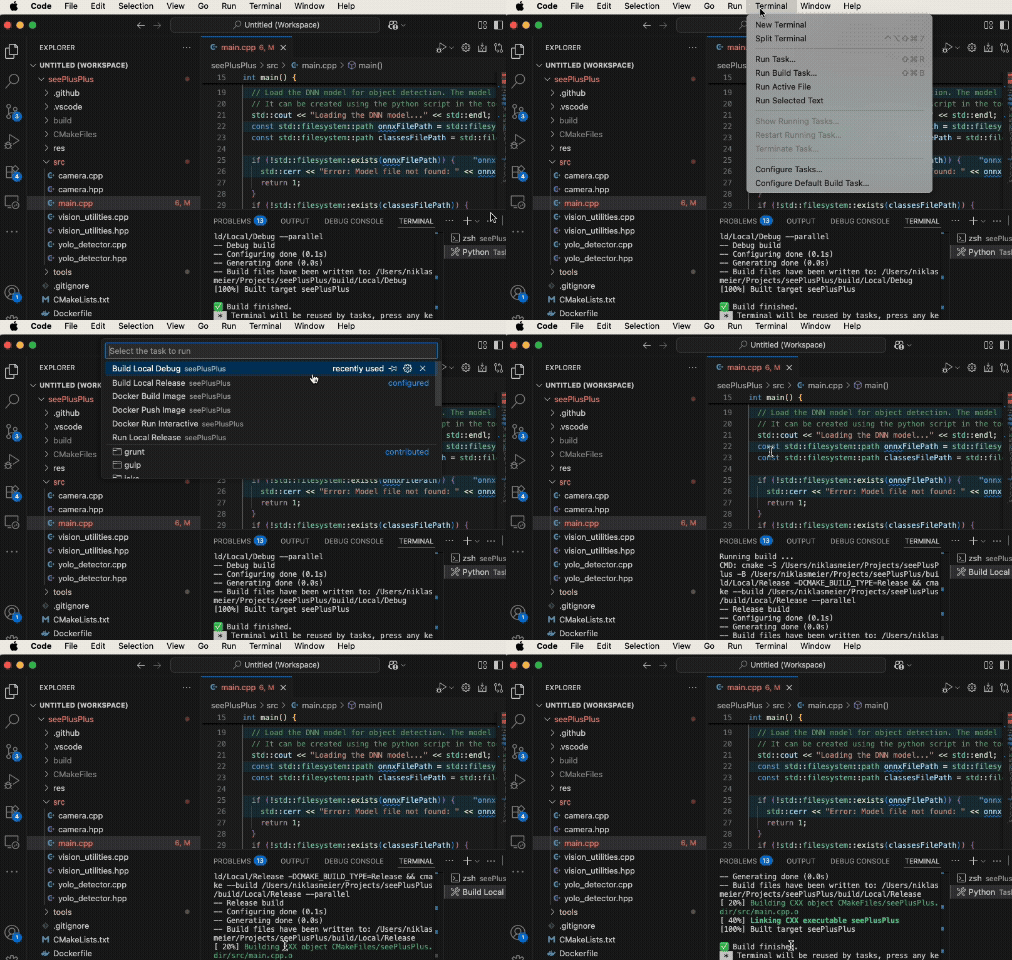
Gif showing how to use VS Tasks to build the project
Scripting is Documentation
Don’t document the commands you execute to setup your environment in the ReadMe. Write a script that executes them. This is the documentation. Advantages:
- Way faster for the next person to run the setup. No need to copy and past everything.
- Scripts are fool-proof. Just run them and let the magic happen.
- All necessary steps must be in the script. In a ReadMe we sometimes forget to document important steps.
- If the scripts don’t run anymore, we fix them. We often forget to update a ReadMe.
Python Build Scripts
For compiling projects use Python build scripts. Python is platform independent and easy to write/read. Again the scripts are also the documentation on how to build the project. A new developer just needs to run the scripts and the project will compile.
- Use the pathlib or os package to write platform independent scripts.
- Put the scripts build_debug.py and build_release.py into your tools folder.
- Use the same scripts locally and in your CI-pipeline. This way they are always automatically tested.
Your build script could look like this. In a separate python file you code the functions to build the targets.
# Build release target.
from build_utilities import BuildTarget, build_project

if __name__ == "__main__":
    build_project(BuildTarget.RELEASE)
Outlook Part Two
Part 2 will cover containers, Poetry for Python, aliases, VS code tasks and Git submodules.